How to Use Popups the Right Way (Without Annoying Visitors or Killing Conversions)

I hope you enjoy this blog post. If you want Hello Bar to grow your leads, click here.
Author:
Mansi
Published
December 11, 2025
Table of Contents
How to use popups comes down to timing, intent, and relevance. Popups work when they respond to what a visitor is doing, not when they interrupt it. Used correctly, they help collect emails, reduce abandonment, and guide decisions without breaking the browsing flow.
The right use of popups matters because visitors today are impatient and privacy-aware. If a popup feels random or aggressive, it gets closed. If it feels helpful, it gets engagement.
This guide breaks down how to use popups properly using five proven use cases, rewritten cleanly and grounded only in real ecommerce behavior.
What a Website Popup Really Is (And Why That Definition Matters)
A website popup refers to a message or form that appears based on user behavior, timing, or page context. In simple terms, it is a response mechanism, not an interruption tool.
Most popup mistakes happen because teams forget this definition. They treat popups as static ads. That approach fails. Understanding how to use popups starts with recognizing that popups should react to user signals such as scrolling, intent to exit, or page depth.
The right use of popups focuses on three principles:
- Context: where the visitor is on the site
- Timing: when the message appears
- Relevance: why this message helps right now
Popups that ignore these rules feel spammy. Popups that respect them feel invisible yet effective. When people complain about popups, they are usually reacting to bad timing, not the format itself.
This definition matters because every decision that follows depends on it. Without it, even good offers fail.
Here’s the quick takeaway:
- Popups are behavior-driven, not page-driven
- Timing matters more than design
- Relevance beats incentives
Collecting Segmented Data Without Hurting Conversions
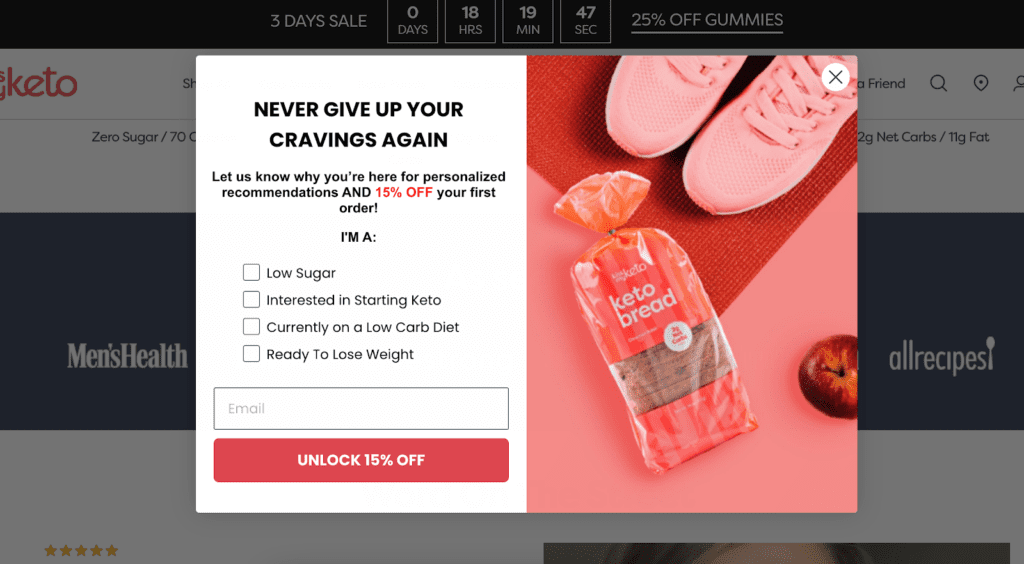
One of the most effective answers to how to use popups is collecting data in small, voluntary steps. This approach improves conversion while respecting user intent.
Instead of asking for everything at once, use multi-step popups. First, ask for an email. Then, only after submission, ask a follow-up question such as interest, birthday, or phone number. This method works because commitment builds gradually.
In practice, most users who complete step one also complete step two. The key is removing pressure. This is a core example of the right use of popups because it prioritizes consent and clarity.
What to do:
- Capture email first
- Ask optional follow-up questions later
- Allow partial submission without penalty
This structure respects attention and increases data quality. It also supports personalization later without forcing it upfront.
Using Gamification Carefully Without Breaking Trust
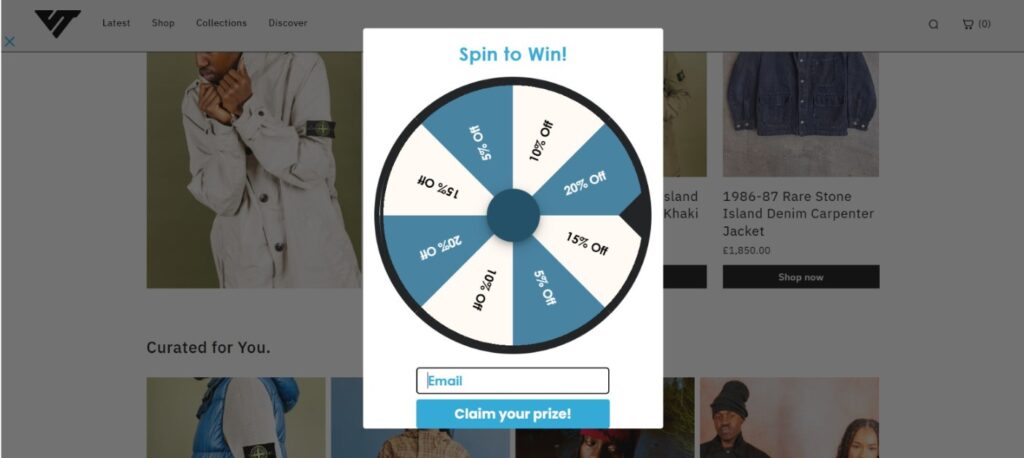
Gamified popups can work, but only when implemented with restraint. Understanding how to use popups here means knowing when fun adds value and when it feels manipulative.
Spin-to-win popups convert because they change the emotional frame from “give me your email” to “try your luck.” The problem appears when prizes feel rigged or irrelevant. That damages trust fast.
The right use of popups with gamification follows strict rules:
- Use fair, believable rewards
- Avoid full-screen overlays
- Target returning visitors, not first-time users
- Use teaser-style triggers instead of instant popups
Gamification should never be the first interaction. It works best when the visitor already understands your store and product value.
Reducing Cart Abandonment Before It Happens
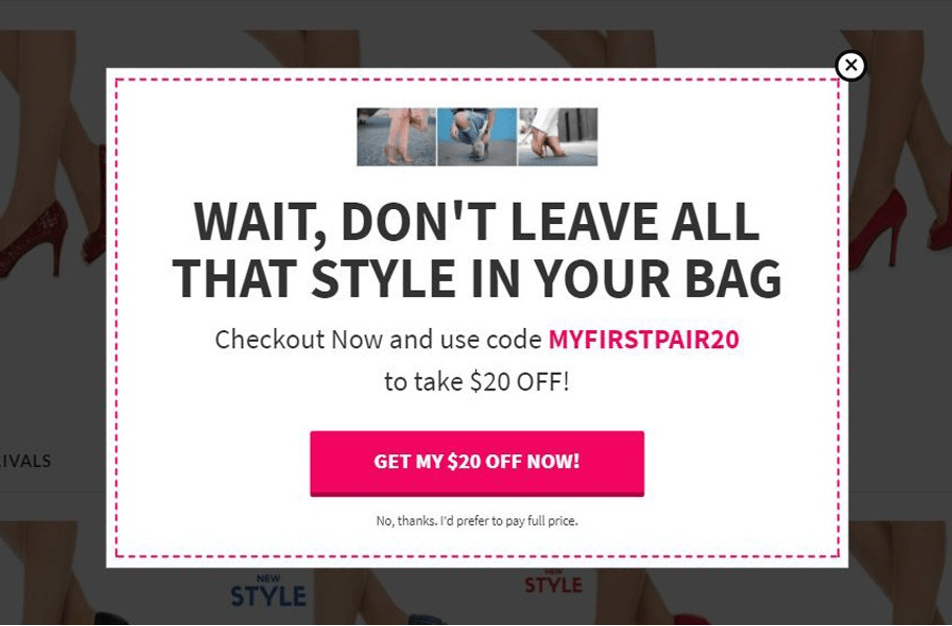
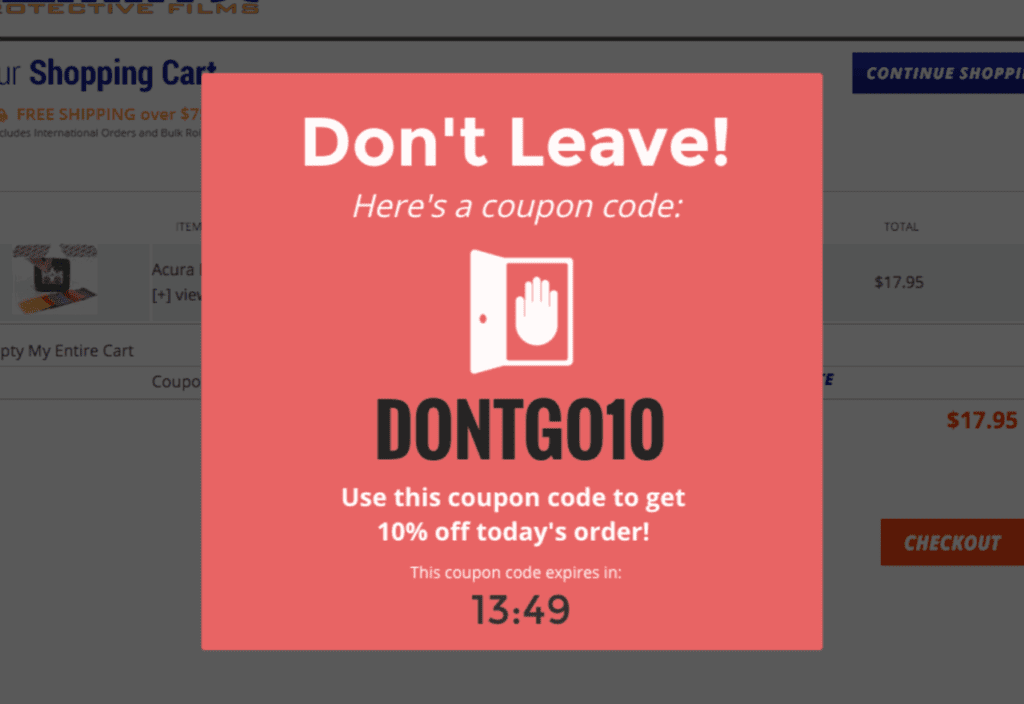
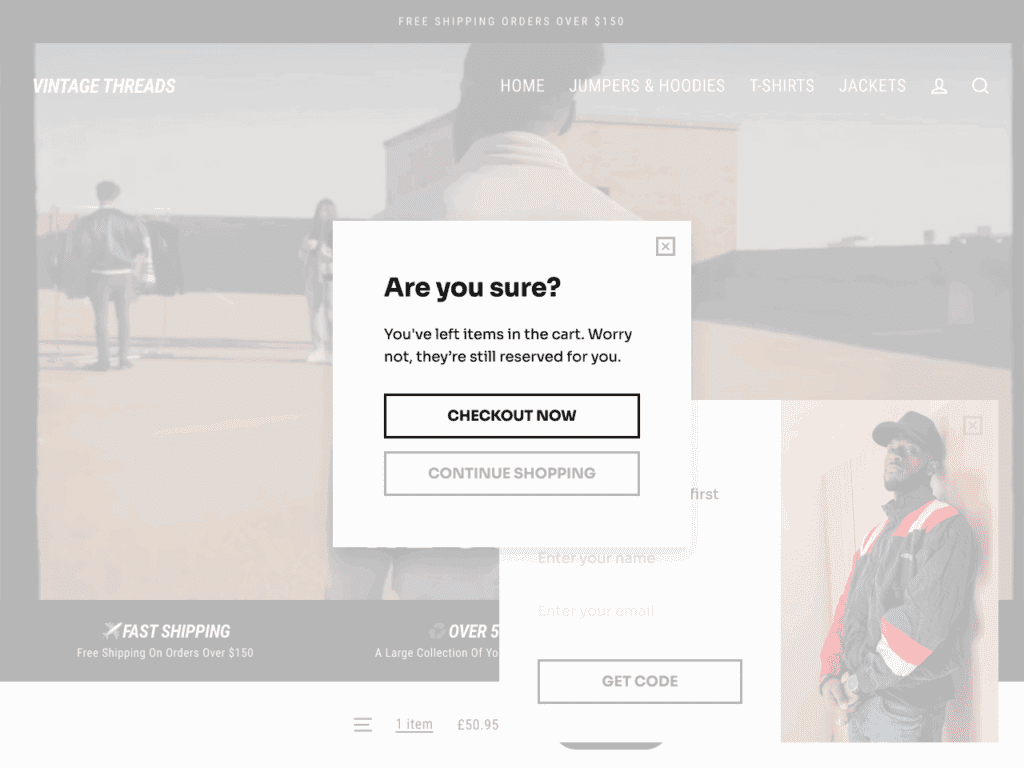
Exit-intent popups are one of the clearest examples of how to use popups correctly. They respond to a clear signal: the visitor is about to leave.
Instead of pushing discounts immediately, effective exit popups focus on reassurance or alternatives. This might include:
- Reminding visitors of existing offers
- Suggesting related products
- Offering help or support
The right use of popups here is prevention, not recovery. You are interrupting a decision moment, so relevance is critical. Poorly timed exit popups feel desperate. Well-timed ones feel helpful.
Trigger rules that work:
- Show only on cart or checkout pages
- Trigger on exit intent, not page load
- Keep copy short and specific
Here’s the quick takeaway:
- Exit popups should prevent exits, not beg for sales
- Context matters more than discounts
- Less copy performs better
Offering Help, Not Noise, During High-Intent Moments
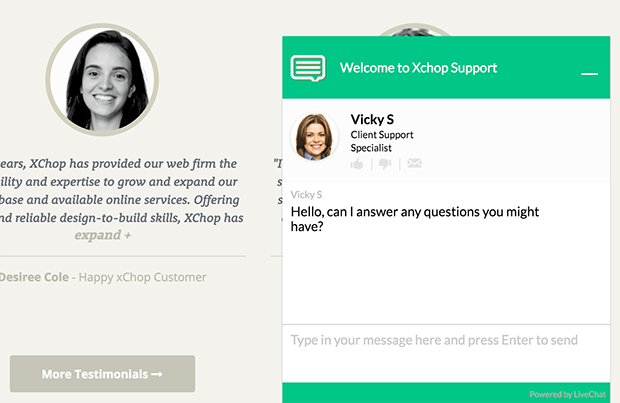
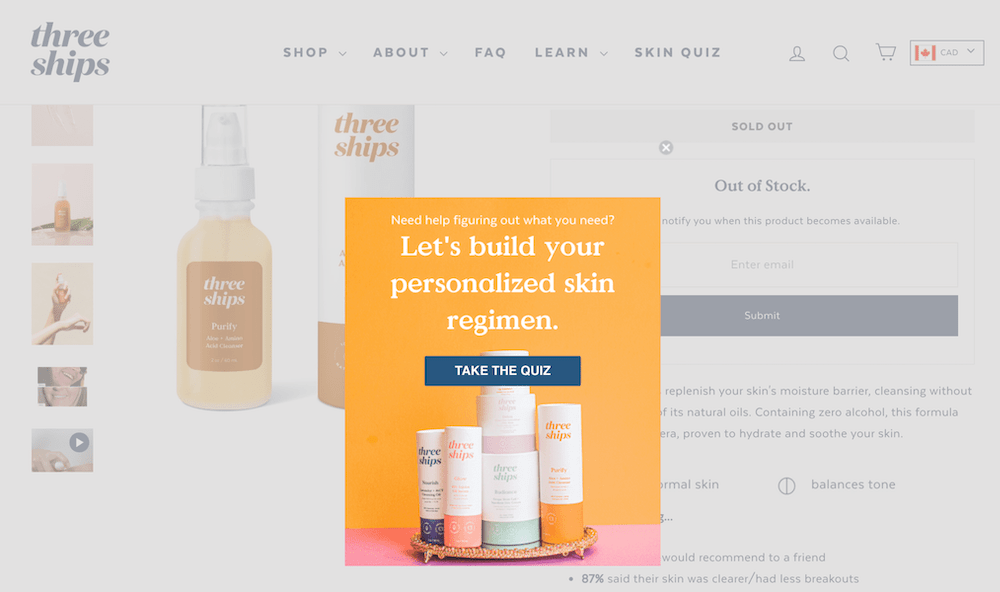
Popups can act as silent assistants when placed correctly. Understanding how to use popups here means knowing where users struggle.
Support popups work best on:
- High-ticket product pages
- Pages with known drop-offs
- After multiple product views
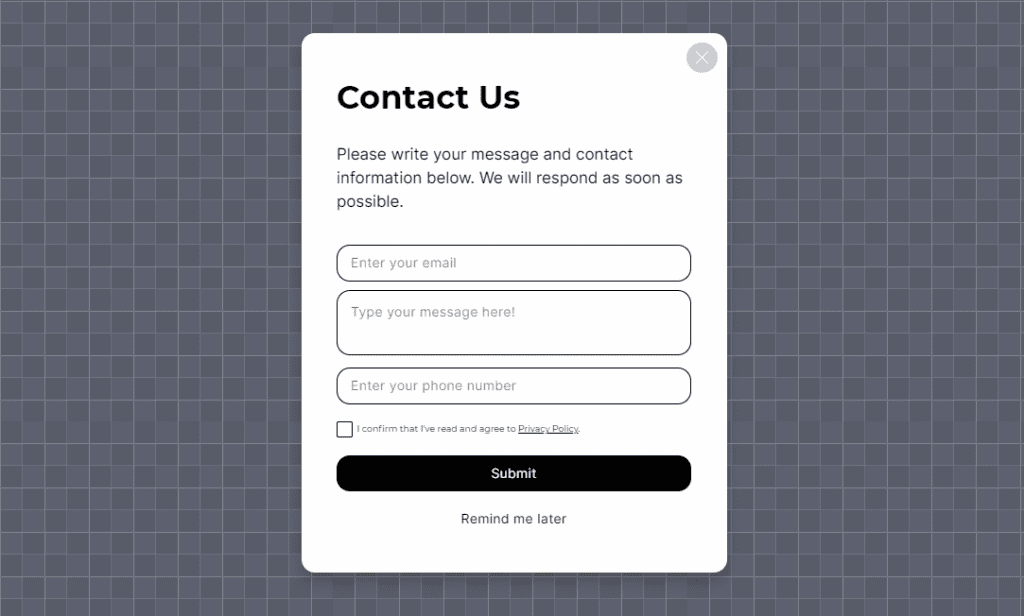
The right use of popups in this case is offering help without forcing it. A small slide-in with a contact form or guide link performs better than aggressive overlays.
Best practices:
- Trigger after meaningful engagement
- Match the message to the page context
- Replace forms automatically based on availability
This approach reduces friction and increases trust, especially for complex or expensive products.
Conclusion
The real lesson in how to use popups is simple. Popups are not conversion hacks. They are response tools. When they react to behavior, respect timing, and offer something genuinely useful, they work. When they interrupt, they fail.
The right use of popups always comes back to intent. Who is this for. Why now. What problem does this solve at this exact moment. If those answers are clear, popups feel natural. If they are not, no design or incentive will fix it.
Used thoughtfully, popups help visitors move forward without pressure. They collect better data, prevent exits, and guide decisions quietly in the background.
If this helped, the next step is understanding when not to use popups at all and how trigger logic changes results across different pages. That’s where most teams still get it wrong.
Also read out blog on Popup Types: What Works, What Doesn’t, and What to Actually Use
FAQs
What is the biggest mistake people make with popups?
Showing them too early, before user intent is clear.
How often should popups appear to the same visitor?
Only once per session or based on meaningful behavior.
Do popups hurt SEO?
No, unless they block content immediately on page load.
Is email still the best popup goal?
Yes, when collected with context and consent.
Can popups work without discounts?
Yes. Guides, help, and reassurance often convert better.